
Best CAD Tips
  • Home
  • Post Categories
    • The Human Side
    • 3D CAD
    • Basics—Better
    • Settings and Options
    • Power Tools
    • Quality Control
    • Revit
  • Recent Posts
  • Revit Roofs Book
Select Page
Organize Your CAD Sheets with Layout Grids

Organize Your CAD Sheets with Layout Grids

Jun 23, 2013 | Basics---Better, Featured, Power Tools, Quality Control

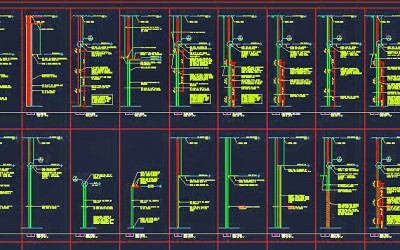
Layout grids are a great way to organize your sheets in CAD. By using a layout grid, your sheets will look more professional and orderly, and you can prepare the drawings much more quickly.

read more
CAD artists play a crucial role in today’s creative process

CAD artists play a crucial role in today’s creative process

May 12, 2013 | Basics---Better, Featured, The Human Side

I have noticed that many people who are skilled at computer aided design, or CAD, undervalue their own work. They should appreciate the vital role their contributions play in the larger creative process.

Most projects that are done today using CAD . . .
read more
Create your CAD drawing with future editing in mind

Create your CAD drawing with future editing in mind

Mar 9, 2013 | Basics---Better, Featured, Power Tools, The Human Side

It makes sense to create the drawing you’re working on with future editing in mind. Maybe the updating will be done by you, maybe by others. In either case, that editing will go quicker with a clean, well-organized drawing.

read more

Simplify your CAD Drawing with Special Marks For Your Eyes Only

Dec 18, 2012 | Featured, Power Tools, The Human Side

To simplify a complex CAD drawing, make your own special marks to help you navigate the various drawing parts. Here’s an example of how . . .

read more

Thoroughly Know the Subject Material in your CAD Drawing

Nov 4, 2012 | Basics---Better, Featured, The Human Side

A CAD designer-tech-drafter-artist should have a thorough knowledge of the subject material that he or she is drawing, and constantly be seeking to add to that knowledge.

read more

Consider the Reader of Your Drawing

Oct 21, 2012 | Basics---Better, Featured, Quality Control, The Human Side

Drawings are essentially a form of communication. A CAD professional should always be considerate of the person who will be reading his or her drawing, and make the drawing as legible as you can. Here are some general rules . . .

read more
« Older Entries
Next Entries »

We love sharing great tips—and gifts! Join our CAD Community!

Click Here for Free Gift button w floor plan

Connect with us!

  • LinkedIn
  • YouTube

© 2021 – 2025 Mark Sadler. All rights reserved.

About Mark

Mark S. Sadler head shot

Mark S. Sadler

Architect, consultant, author, teacher

Hi, I’m Mark Sadler, creator of Best CAD Tips. My path has taken me through many roles—architect, web publisher, author, consultant, and teacher. Along the way, I’ve also worn some of my favorite titles: husband, father, and lifelong learner. Outside of work, I’m happiest with sawdust on my hands from woodworking, sparks flying from metalworking, or a guitar in my lap, trying valiantly to sing.

Thanks for visiting!

The Best CAD Tips website and Residential Roof Design Using Autodesk Revit are trademarks of Mark S. Sadler. All rights reserved.

Categories

  • 3D CAD
  • Basics—Better
  • Featured
  • Info Transfer
  • News and Views
  • Power Tools
  • Quality Control
  • Revit
  • Settings and Options
  • The Human Side
  • The Interface
  • Tip of the Day
  • Uncategorized